Proč nestačí znát pravidla
Pokud má přístupnost v praxi fungovat, je třeba ji zasadit do kontextu, poznat skutečné potřeby uživatelů a umět identifikovat bariéry, které jim brání v jejich naplňování. Na těchto základech vedu nejrůznější kurzy přístupnosti už dlouhou řadu let – protože přístupnost se nedá naučit studiem teoretických pouček bez vazby na každodenní realitu lidí s handicapem.
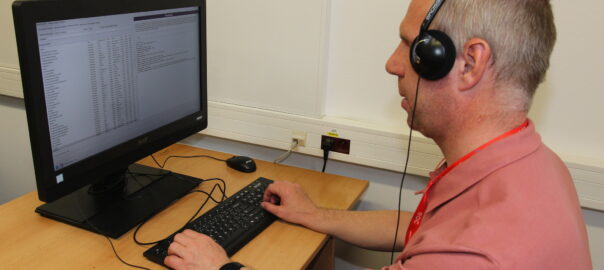
Ve výuce pracujeme s reálnými bariérami na webech a v aplikacích, zkoušíme asistivní technologie a řešíme situace, se kterými se lidé se zdravotním postižením setkávají při každodenním používání digitálních služeb. Smyslem není naučit se seznam pravidel nazpaměť, ale pochopit souvislosti, skutečné potřeby uživatelů a dopady jednotlivých bariér v praxi.

Neméně důležité je porozumět tomu, co lidem s handicapem v digitálním prostředí skutečně komplikuje život a jaké bariéry mají na jejich každodenní fungování největší dopad. Právě znalost skutečných potřeb uživatelů pomáhá odlišit zásadní bariéry od marginálních problémů.
Typickým příkladem takového přístupu může být třeba přístupnost sociálních sítí. V diskusích o přístupnosti bývají často zdůrazňovány i problémy, jejichž dopad je ve srovnání s jinými bariérami relativně malý – například camelCase hashtagy. Praxe ale ukazuje, že ty představují ve srovnání s jinými bariérami spíše marginální problém (příspěvek je srozumitelný i bez hashtagů). Mnohem závažnější bariéry vytváří například absence textových popisků u grafiky či titulků u videa. Zároveň jde o problémy, jejichž řešení bývá podstatně náročnější než úprava několika písmen v hashtagu.
Co si z výuky odnášejí studující
Před pár dny dorazily výsledky studentské ankety k předmětu Digitální design bez bariér na Masarykově univerzitě (KISK FF MU). Každoročně mě zajímá, jak tento způsob výuky hodnotí samotní studující. Ne snad proto, že by anketa dokázala změřit všechno důležité, ale protože může napovědět, zda se daří propojit odborný obsah s praktickým využitím a udržet aktivní zapojení účastníků.
Letošní výsledky dopadly velmi dobře (škála 1 až 6, kde 1 je nejlepší):
- 1,1 – srozumitelnost a přehlednost výkladu (fakultní průměr 1,7)
- 1,0 – připravenost na výuku
- 1,0 – jasná kritéria hodnocení
- 1,0 – respektující přístup ke studujícím
Radost mám i ze slovního hodnocení:
- „Vyhovovalo mi velmi praktické pojetí hodin – dobrovolná cvičení i cvičení v rámci hodin, příklady z praxe apod.“/cite>
- „Velmi zajímavý předmět, hodně jsem ocenila praktické příklady a spoustu dodatečných odkazů; nejvíce mi dala možnost výběru ukončení a zkušenost při výpomoci na konferenci – díky za tu příležitost!“
Ve zpětné vazbě se opakovaně objevují právě témata, na která ve výuce kladu největší důraz: praktická cvičení, práce s reálnými příklady a možnost zažít přístupnost mimo rovinu teorie. O to větší radost mi dělá, že je studující vnímají jako přínosné.
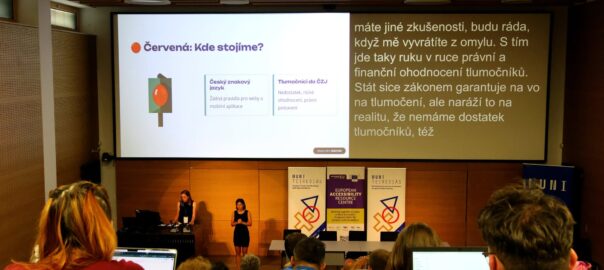
Potěšila mě i reflexe studentky, která se v rámci předmětu zapojila jako dobrovolnice na konferenci Agora:
„Setkala jsem se s lidmi, kteří screen readery a kompenzační pomůcky opravdu každý den používají, a mohla jsem tedy vidět, jak to vypadá v praxi, co jim vadí, co oceňují nebo jaké jsou mezi takovými uživateli rozdíly.“
Právě takové zkušenosti považuji za mimořádně cenné. Přístupnost totiž není jen o technických požadavcích a kontrolních seznamech, ale především o pochopení potřeb lidí, kterých se týká.
Stejný přístup přenáším i mimo univerzitu – kurzy v Akademii CZ.NIC
Zkušenosti z univerzitní výuky mě tak dlouhodobě utvrzují v tom, že přístupnost má největší hodnotu tehdy, když se soustředíme na její skutečné dopady v praxi. Lidé potřebují pochopit, jak se požadavky přístupnosti promítají do návrhu, vývoje, testování i správy digitálních služeb. Proto stejný důraz na praktické příklady, reálné bariéry a hledání použitelných řešení přenáším i do vzdělávání pro komerční sektor a veřejnou správu.
Pokud chcete přístupnost uchopit věcně, bez zbytečné vaty a s okamžitým dopadem na vaše weby nebo aplikace, do konce roku budu mít další veřejný běh kurzu Zákon o přístupnosti prakticky v Akademii CZ.NIC.
Když se na přístupnost podíváme optikou frontendu
Jak se takový přístup k přístupnosti promítá do každodenní vývojářské praxe, se můžete podívat v záznamu mé přednášky Evropský zákon o přístupnosti optikou frontendu z konference Frontkon 2024.
Místo výkladu paragrafů se věnuje konkrétním bariérám, na které uživatelé narážejí při používání webů a aplikací, jejich dopadům a způsobům, jak jim předcházet na úrovni frontendu. Právě tento pohled na přístupnost tvoří základ i prosincového kurzu v Akademii CZ.NIC.
Radek Pavlíček – Evropský zákon o přístupnosti optikou frontendu (YouTube)