Archiv štítku: webexpo

WebExpo 2024: Zaostřeno na přístupnost + soutěž o vstupenku zdarma

Tematika přístupnosti je s konferencí WebExpo spjata od jejích počátků. První přednášku o přístupnosti jsem měl tu čest přednést už na WebExpo 2009. Jmenovala se WCAG 2.0 – nový pohled na přístupnost a věnovala se v té době ještě ani ne rok staré metodice Web Content Accessibility Guidelines 2.0.

Od té doby se s tematikou přístupnosti mohli účastníci konference seznámit prostřednictvím celé řady přednášek, workshopů či praktických ukázek na stánku ve vystavovatelské části.

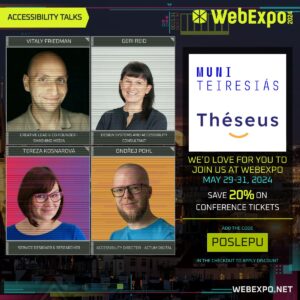
Ani letošní ročník, který proběhne od 29. do 31. května v paláci Lucerna v Praze, nebude v tomto výjimkou – těšit se můžete na hned několik příspěvků od přednášejících od nás i ze zahraničí, Discomfort Zone o přístupnosti a chystáme i jedno překvapení 🙂 Detaily najdete v článku Access for all: Spotlight on accessibility at WebExpo, případně si můžete přečíst rozhovor s Geri Reid – WebExpo 2024: 5+1 Questions for Geri Reid, Design Systems and Accessibility Consultant.

Podcast Bez bariér: CEO konference WebExpo Šárka Štrossová (S02E03)

Pokud vás tematika „WebExpo a přístupnost“ zajímá více, nenechte si ujít třetí díl podcastu Bez bariér, do kterého přijala pozvánka Šárka Štrossová, ředitelka konference.

Soutěž o vstupenku zdarma 🎫

Chcete se zúčastnit WebExpo 2024 a přivítali byste vstupenku zdarma? Pak jste tu správně – jednu teď můžete vyhrát.

Pro zařazení do slosování stačí do středy 15. 5. 12.00 splnit tři jednoduché úkoly:

  1. Vyjmenovat alespoň 3 přednášející, kteří do programu konference WebExpo přispěli – či přispějí – přednáškou o přístupnosti. Uveďte jméno a příjmení přednášejícího a název přednášky.
  2. Napsat pár vět o tom, jaké jsou podle dle vaší zkušenosti největší překážky, které brání lepší přístupnosti, a co by pomohlo, aby se přístupnost digitálního prostředí (webů, aplikací, dokumentů, multimédií) zlepšila.
  3. Odebírat WebExpo newsletter.

Odpovědi posílejte do středy 15. května do 12.00 na e-mail radek.pavlicek@gmail.com. Z došlých odpovědí vylosujeme jednoho výherce, který získá vstup na konferenci zdarma.

20% sleva s kódem POSLEPU

Pokud nechcete spoléhat na Štěstěnu, stále je také možnost koupit si – po zadání kódu POSLEPU – vstupenku s 20% slevou.

Koupit vstupenku na WebExpo 2024. 20% sleva po zadání kódu POSLEPU.

A ať už si vstupenku koupíte, nebo ji vyhrajete – těším se na WebExpo 2024 na setkání 🙂

WebExpo 2024: 5+1 Questions for Geri Reid, Design Systems and Accessibility Consultant

The WebExpo 2024 conference is focused on accessibility and offers several opportunities for those interested in this topic to get to know it better. One of them is Geri Reid’s talk, named Don’t worry – the design system takes care of accessibility!

In this talk, Geri will walk you through a roadmap for organisational accessibility—from compliance to education to assembling a community of allies. She’ll also give us a practical guide to building design system components with accessibility at the forefront.

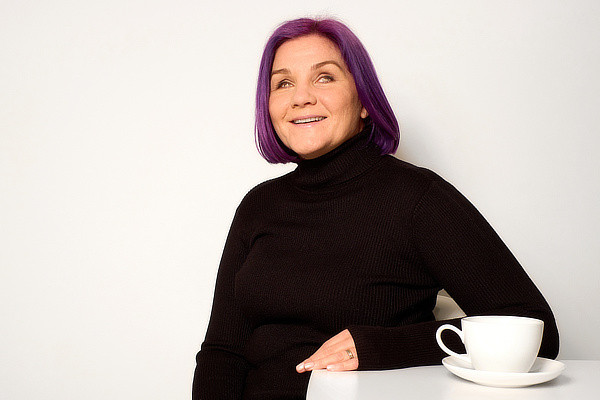
Geri Reid

Firstly, let me briefly introduce Geri.

Geri is a design systems consultant from London. As design and accessibility lead on design systems at News UK and Lloyds Banking Group, she has helped some of the UK’s largest media and banking brands to design at scale. She is currently Lead Accessibility Specialist at Just Eat Takeaway. Geri is a keen accessibility advocate, amateur writer, and documentation nerd.

Radek: Geri, what inspired you to focus on accessibility within design systems, and why do you think this is a crucial topic for today’s digital landscape?

Geri: If we don’t design and code our products to meet industry standards, people get left out. This might be our customers or our colleagues with disabilities but also our consumers with situational or temporary impairments. The web is an incredible connector and enabler of people and being left out sucks! In tech, we’re privileged people and with that comes a huge responsibility to care about the products we’re putting out into the world and the legacy we’re leaving behind.

In most of my design systems roles, accessibility has not officially been part of my job but I’ve just made it part of my job. Researching UX best practices and using this knowledge to build a core of WCAG-compliant components provides a solid base for a product orgs design and development. A design systems team is also perfectly placed to support consumers with the education, training and the support they need to build accessible end products.

Radek: In your view, what are the most common misconceptions about building accessible digital products, and how does your talk aim to address these?

Geri: Early on in my design systems journey, I naively assumed that building a set of „accessible“ components would automatically result in accessible end products. In my WebExpo talk, I run through the numerous ways teams can use the design system’s building blocks to make unusable products.

The problem with design system components is that they’re small chunks created independent of the overall semantic structure. You’re relying on consuming teams to put these Lego pieces together the right way. The bigger problem is that in Product, engineers might be using your WCAG-compliant building blocks, but they are building from designs. So, it’s really your designers who need to understand semantic HTML and which component to use.

I also talk about how teams consuming our design system components struggled with ARIA attributes and overlooked words in the code like link text, alt text and labels.

Radek: You mention the importance of a culture that champions accessibility. What are the first steps organizations should take to cultivate such a culture?

Geri: If you want your company to design and build inclusive products, you first need to set a standard. If your organisation doesn’t have accessibility standards, it can operate in a perpetual cycle of exclusion. No one deliberately designs products that exclude people, but in the absence of standards, we use our own abilities as a baseline for how everyone uses the web. In my talk, I discuss putting together a company accessibility policy or guidelines as a first step to defining a company-wide standard.

The most successful accessibility initiatives come from the top down. Getting a leader to champion your policy will supercharge your mission – especially if they have the clout to get accessibility fixes onto Product roadmaps or to block releases that don’t meet the company standard.

Accessibility is often far down an organisation’s priority list. I always try to align my accessibility initiatives with Product and Tech’s higher-level goals and quarterly objectives to give them more weight. Business leaders love quant metrics, and if you can show measurable progress, you’re more likely to get senior stakeholder buy-in, funding, and most importantly, the space to continue.

Once you have standards in place and buy-in from leadership, then you can start building your community from the bottom up.

Radek: Building a community of allies sounds intriguing. How can organizations identify and assemble these allies to foster a more inclusive digital environment?

Geri: Wherever I’ve worked, I’ve got together an accessibility guild or working group. A design system can be a perfect hub for this as it serves the wider community. I’ve found there are little pockets of accessibility experts and advocates across organisations. Folks from Marketing, UX Writing, Research and Diversity and Inclusion are often keen to join and can add a lot of value by bringing different perspectives.

There is rarely any accessibility support, even in large organisations. A forum to get together, ask questions and help each other solve problems can be useful. Accessibility is complex, and I don’t always have all the answers. In the past I’ve gone away and researched how to do things and presented this back to the group. If you record these sessions, you slowly build up a knowledge bank.

It’s little things like this that can slowly add up to a gradual shift in culture.

Radek: Do you have any success stories or case studies where implementing an accessible design system transformed the user experience or organizational approach to product development?

Geri: Something that always springs to mind is the positive effects of workshops I have run with design teams. I’ve workshopped things like instigating an accessible design process and marking up your designs for engineering. It’s been heartwarming to see the transformation. Hearing junior designers call out colour contrast issues or flag if something is not keyboard accessible in a design review after attending my workshop makes me so happy!

Radek: Why should WebExpo participants join your talk?

Geri: My talk is about how I failed, what I’ve learned and how I would do things differently. I hope people can take something away from this and hopefully not fail as spectacularly as I have! Failure + time equals comedy, so I try to keep things lighthearted. Accessibility can can be a bit dry but if you come to my session, I’ll make sure we turn up the colour contrast and have some fun with policy and guidelines 🤘

Geri, thank you very much for the interview, and I look forward to your talk at WebExpo 2024!


For those who would like to join Geri and other excellent speakers at WebExpo 2024, there is a coupon code “poslepu“ for 20 % off the ticket price.

Buy the Ticket & Enjoy WebExpo 2024

DesignOps Island Discs S03E01 – Geri Reid, News UK

WebExpo 2023: 5+1 Questions for Léonie Watson, Director of TetraLogical

Léonie Watson will be one of the speakers at WebExpo 2023. Her talk is titled More than words: Designing and building voice interfaces. In this talk, Léonie will explore voice character and design, conversational user experience, APIs for generating synthetic speech in the browser (and in the cloud), techniques for manipulating voice output, and yes, the importance of choosing the right words – all with examples to bring it all to life!

I used this opportunity and asked her a few questions about this topic.

Firstly, let me briefly introduce Léonie. Léonie is the director of TetraLogical, a member of the W3C Board of Directors, and a co-chair of the W3C WebApps Working Group. She worked in tech support in the 90s and taught herself HTML/CSS/JS to stop getting bored. By the time the “DotCom” bubble was at its height, Léonie was working as a web designer, and despite losing her sight in Y2K, she’s had an extraordinary amount of fun as an accessibility engineer ever since.

Radek: Léonie, how does a voice interface differ from a graphical user interface in terms of design and user experience?

Léonie: We’re designing for a different paradigm. Instead of thinking about colours, typography, and graphics, we’re thinking about voice, pronunciation, and words. Think about the difference between looking at a painting and listening to a piece of music.

There are similarities too. Structure, architecture, and the quality of the written content are important to both the voice UI and the graphical UI.

Radek: What are some of the unique design considerations that need to be taken into account when creating voice interfaces, particularly for users with disabilities?

Léonie: For people who are Deaf and who cannot hear the voice UI, it’s important that there is an alternative way to consume the same content. The voice might be a different way of consuming existing text content (like a web reader in the browser), or it may be necessary to display captions as an alternative to the voice UI.

Otherwise, whether or not someone has a disability doesn’t really matter. The important things are to make sure the voice can be understood by the target audience, that the speech rate is reasonable for a general audience, and that the content makes sense when it’s spoken rather than written.

It’s also important to make sure the voice characteristics can be customised by the user to suit their preferences – the ability to speed up or slow down the speaking rate, choose a different voice, or turn off the voice UI completely for example.

Radek: How do you approach user testing and feedback when designing voice interfaces?

Léonie: Exactly the same way you approach usability testing for any other product. You choose your participants, making sure to include people with disabilities amongst the larger group of course, and ask them to complete tasks or user journeys through the voice UI.

Radek: Can you provide examples of industries or applications where voice interfaces have been particularly successful, and what contributed to their success?

Léonie: Alexa and Siri are probably the best examples of successful voice UI. The Echo in particular because it’s possible to design, develop, and distribute skills – just like we design, develop, and distribute websites, web apps, apps, and applications.

It’s more difficult to think of good examples on the web because support for voice UI design and development isn’t good enough yet. That’s something I’m hoping to change though!

Radek: Looking ahead, what do you see as the future of voice interfaces? How do you see this technology evolving to better serve people with disabilities, and what new opportunities do you think it will create for designers and developers?

Léonie: We use voice UI in almost every other respect – it’s on our smartphones, on our laptops, in our houses, and even our workplaces. It’s usually quicker to say something than it is to type it or write it down, and besides, humans have been talking to each other for thousands of years, so there are no new skills to learn.

Speech has been used by people who cannot use a mouse, keyboard, or touchscreen, for decades now, so voice UI is really nothing new.

The voice generation market is growing rapidly, with AI being used to generate artificial voices that are incredibly realistic – even ones that are cloned from real voices.

On the web we just need to convince the browser companies to give us better ways to bring voice UI capability to websites and web apps.

Radek: Why should WebExpo participants join your talk?

Léonie:> To find out what good voice UI design sounds like, to hear demonstrations of the latest in AI generated artificial voices, to learn how to code using different voice UI technologies, to find out about CSS Speech and join the growing numbers of people asking browsers to make it available on the web.

Léonie, thank you very much for the interview and I am looking forward to your talk at WebExpo 2023!


For those who would like to join Léonie and other amazing speakers, there is a coupon code “poslepu“ for 20 % off the ticket price.

Buy the Ticket & Enjoy WebExpo 2023

WebExpo 2023, April 19 – 21 (YouTube)